A panel for running a restaurant, bar, club or cafe, right beside your fiscal till.
Below is one day at a venue, from the morning stock check to the report after closing.
No card needed.
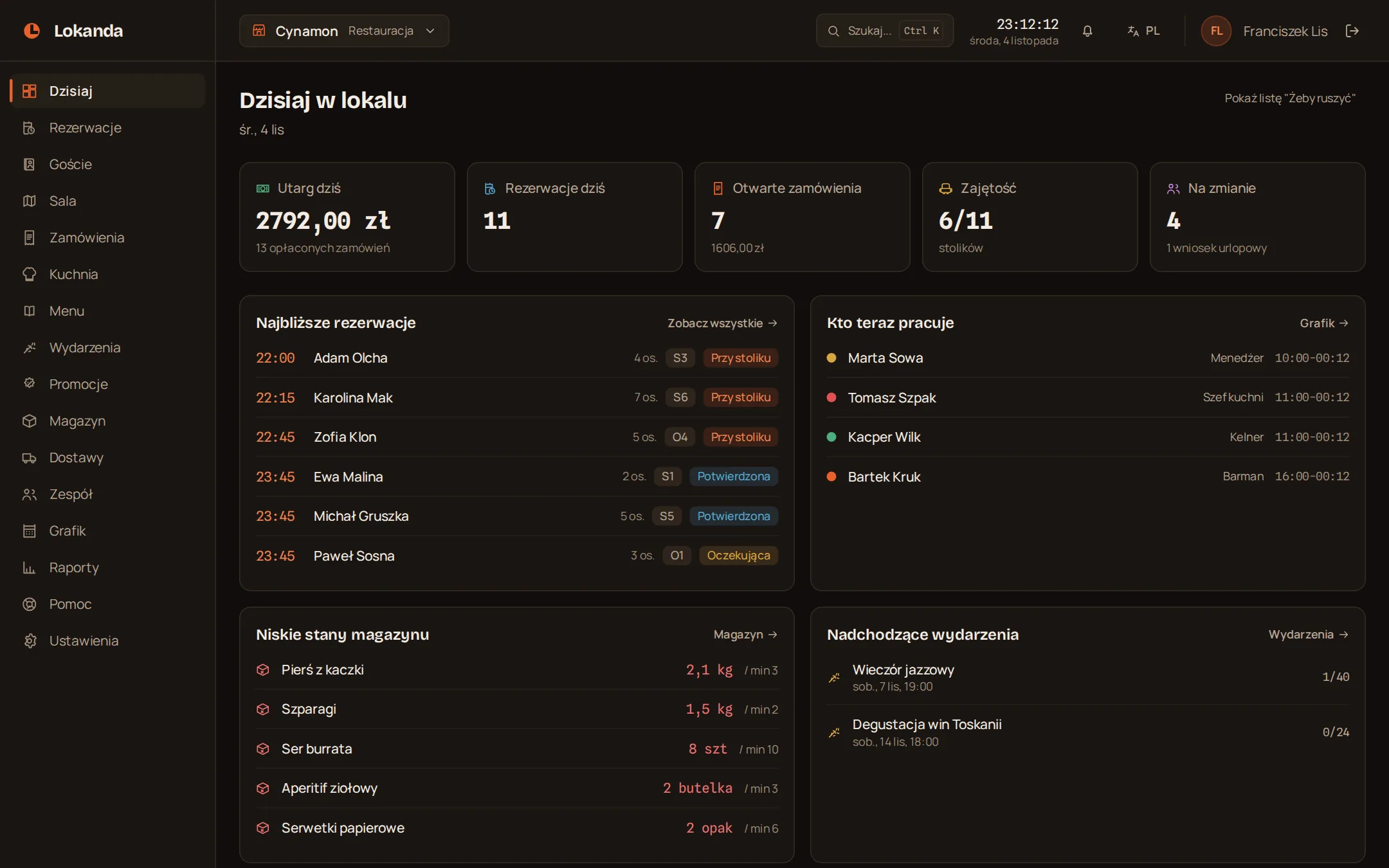
In the morning you see what is running short
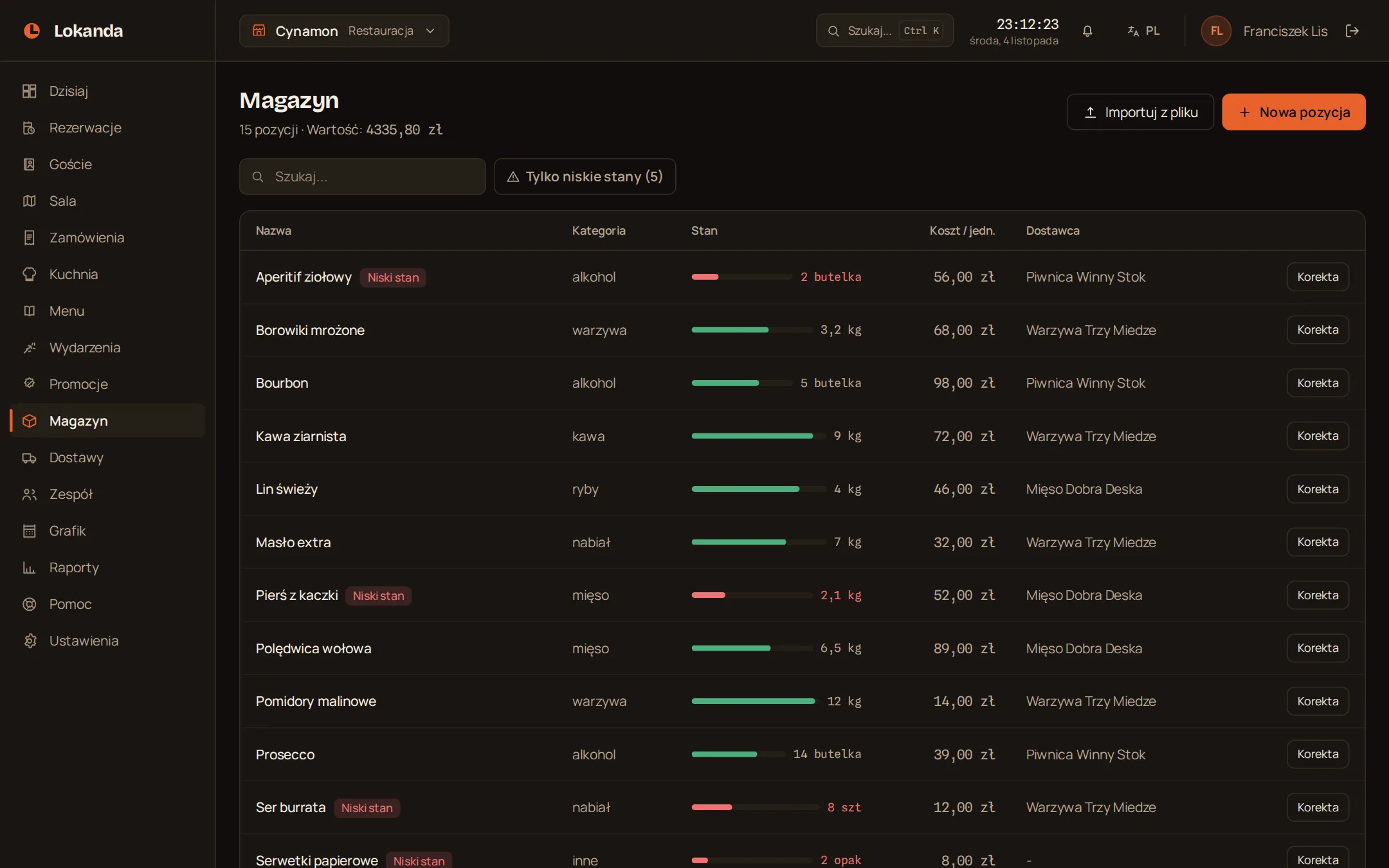
Every item has a stock level and an alert threshold. Once stock drops to the threshold the item is flagged in red, and one filter shows only what is low.
- Stock
- kg, bottles, pieces, packs
- Alert threshold
- you set it
- Stock adjustment
- kept in the activity log
- Stock value
- right above the list
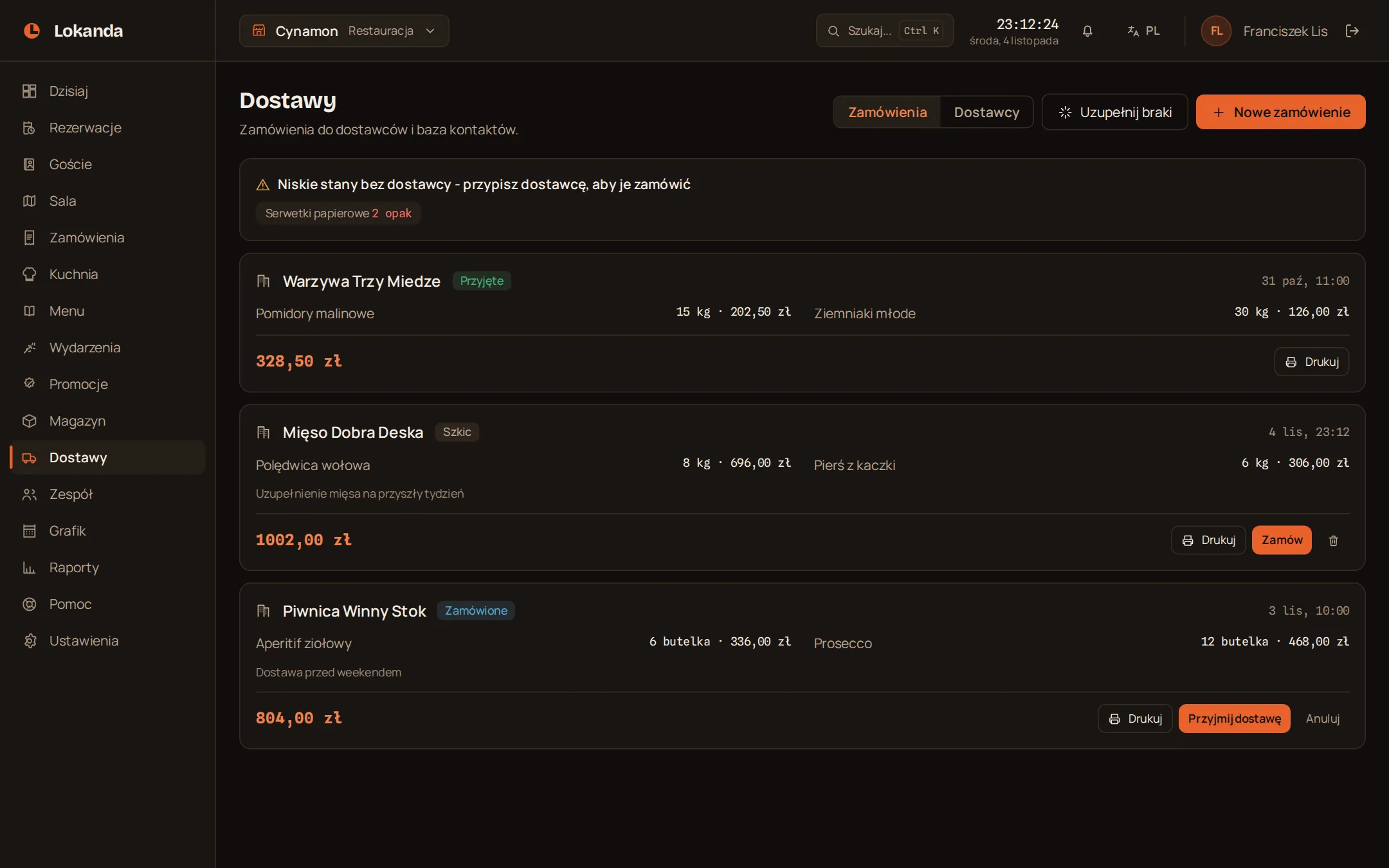
The delivery arrives and stock updates itself
"Restock low items" drafts an order for each supplier from whatever is running out. You print the order, and when you receive the delivery the quantities go straight into stock.
- Restock low items
- one draft per supplier
- Quantity in the draft
- up to twice the threshold
- Purchase order
- ready to print
- Supplier list
- contacts and assigned items
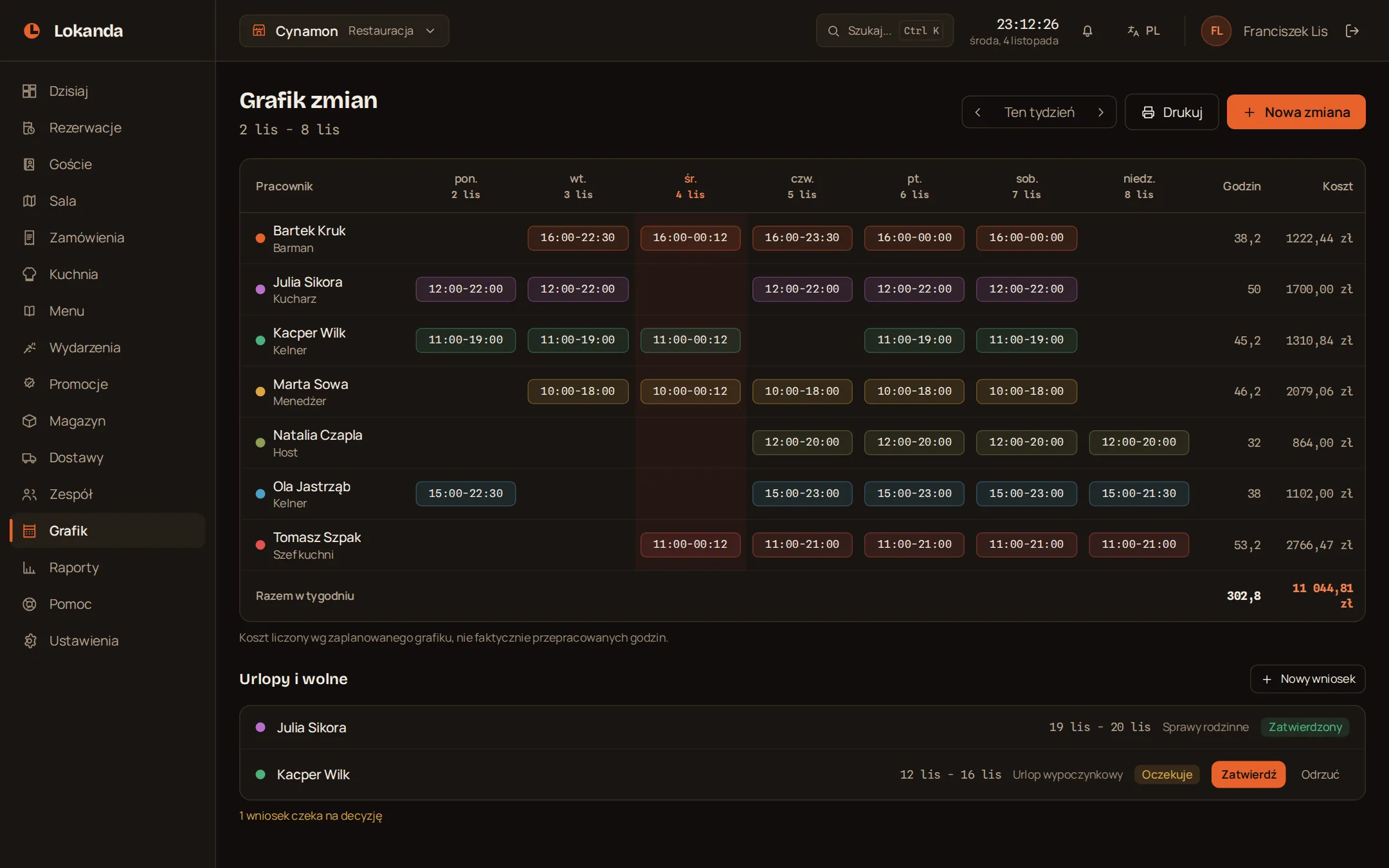
Before opening you set the schedule
Shifts for the whole week, with hours and cost next to each person. Time-off requests get approved on the same screen.
- Shift cost
- hours times rate
- Cost is based on
- planned hours
- Time off
- approve or reject
- Schedule
- ready to print
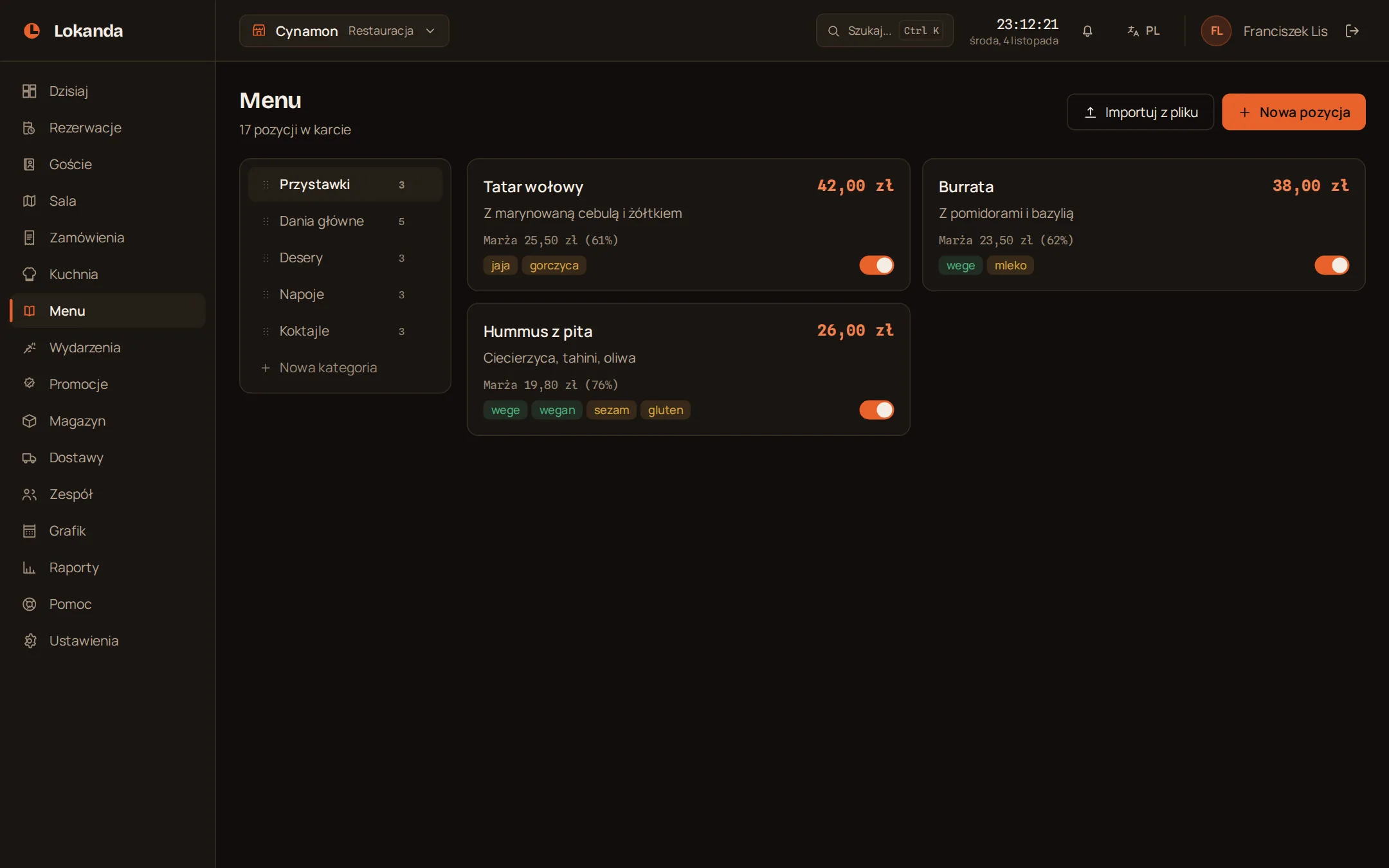
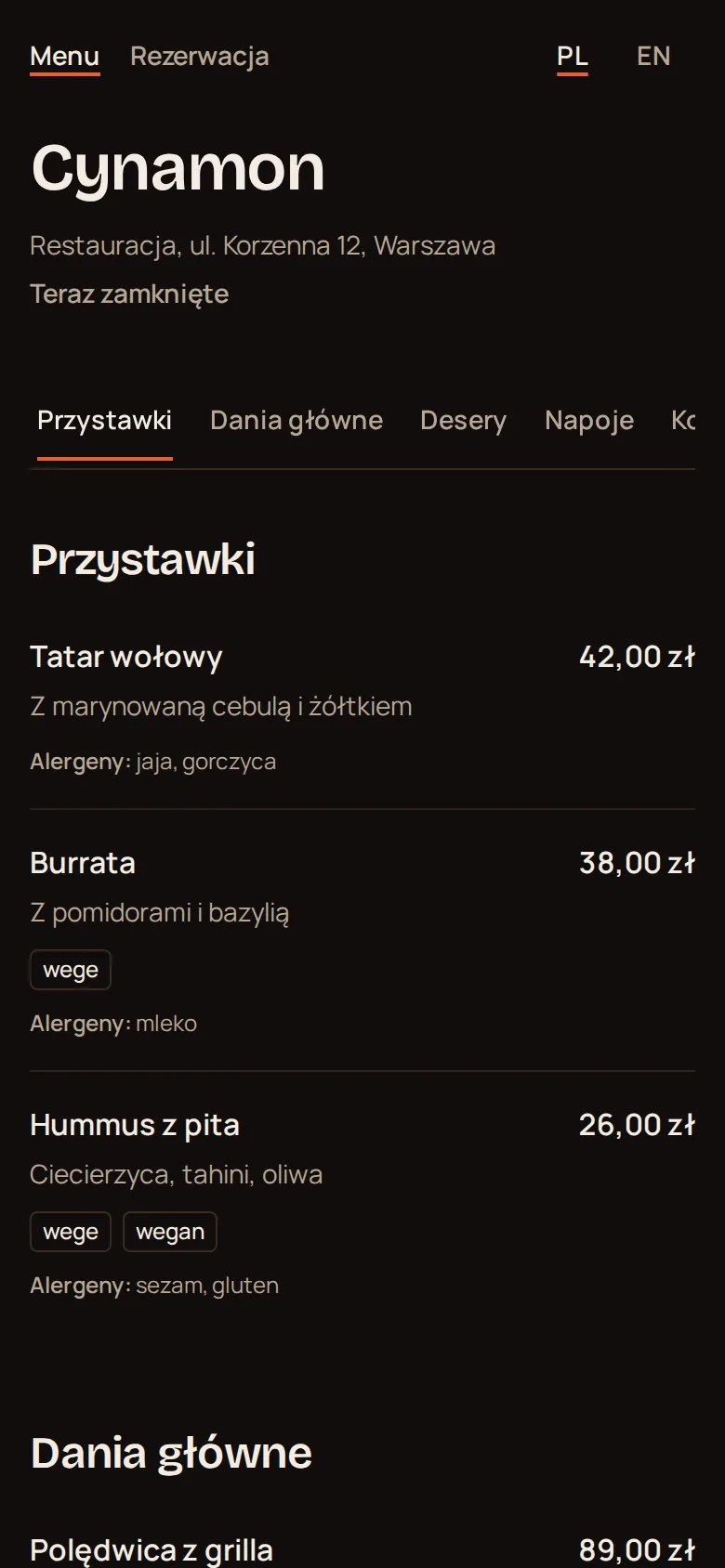
A menu your guests open with a QR code
Change prices and dishes in the panel and the guest at the table sees the current menu. You print the QR code once.
- QR code
- PNG or SVG
- Allergens
- on every item
- Sold out
- one switch turns it off
- Item cost
- optional, for margin in reports
Guests book their own table
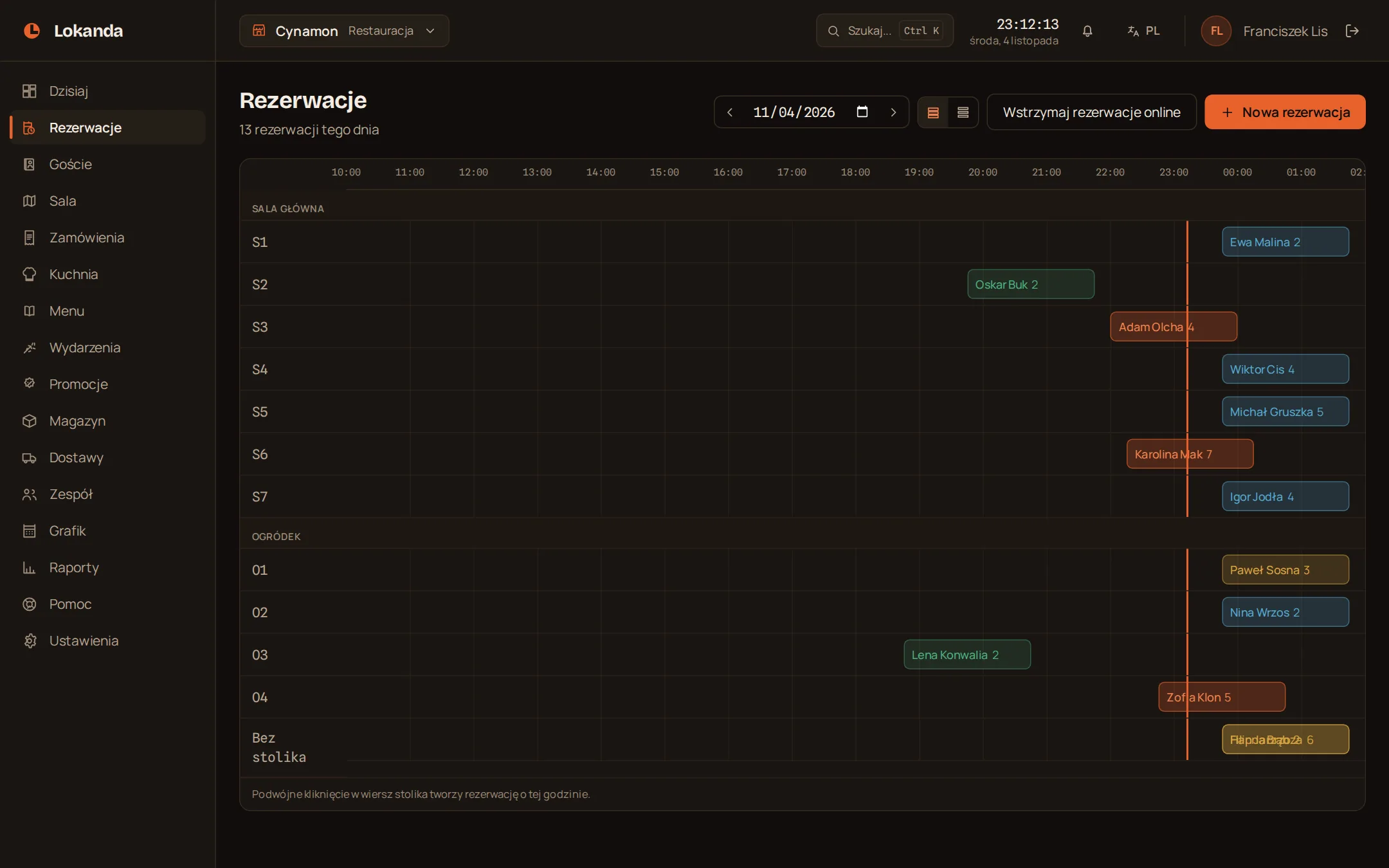
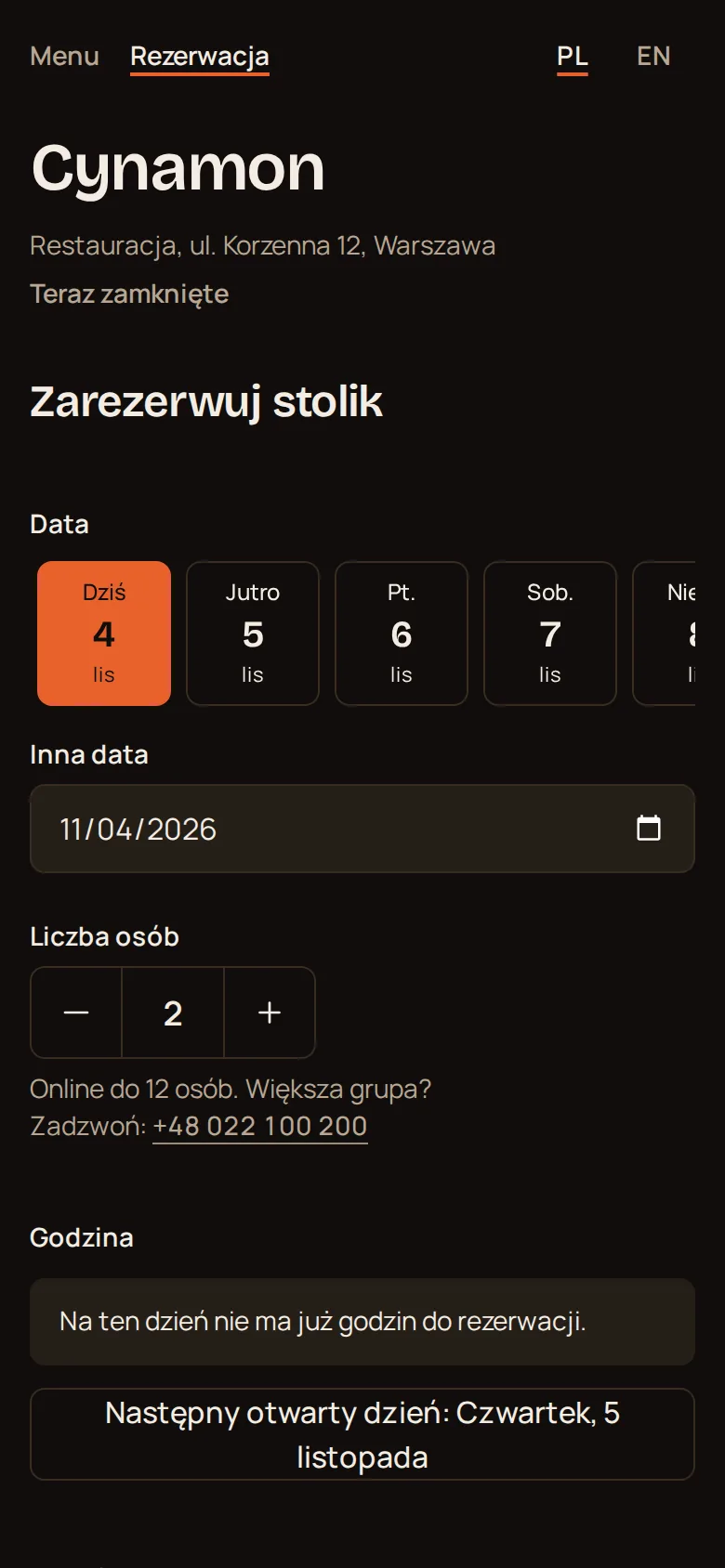
Paste the widget into your website or share a link. Guests can only pick a time when a table is free, and the booking lands on the day timeline.
- Table assignment
- smallest free table that fits
- Confirmation
- instant or by your staff
- Cancelling
- guests do it from their own link
- Messages to the guest
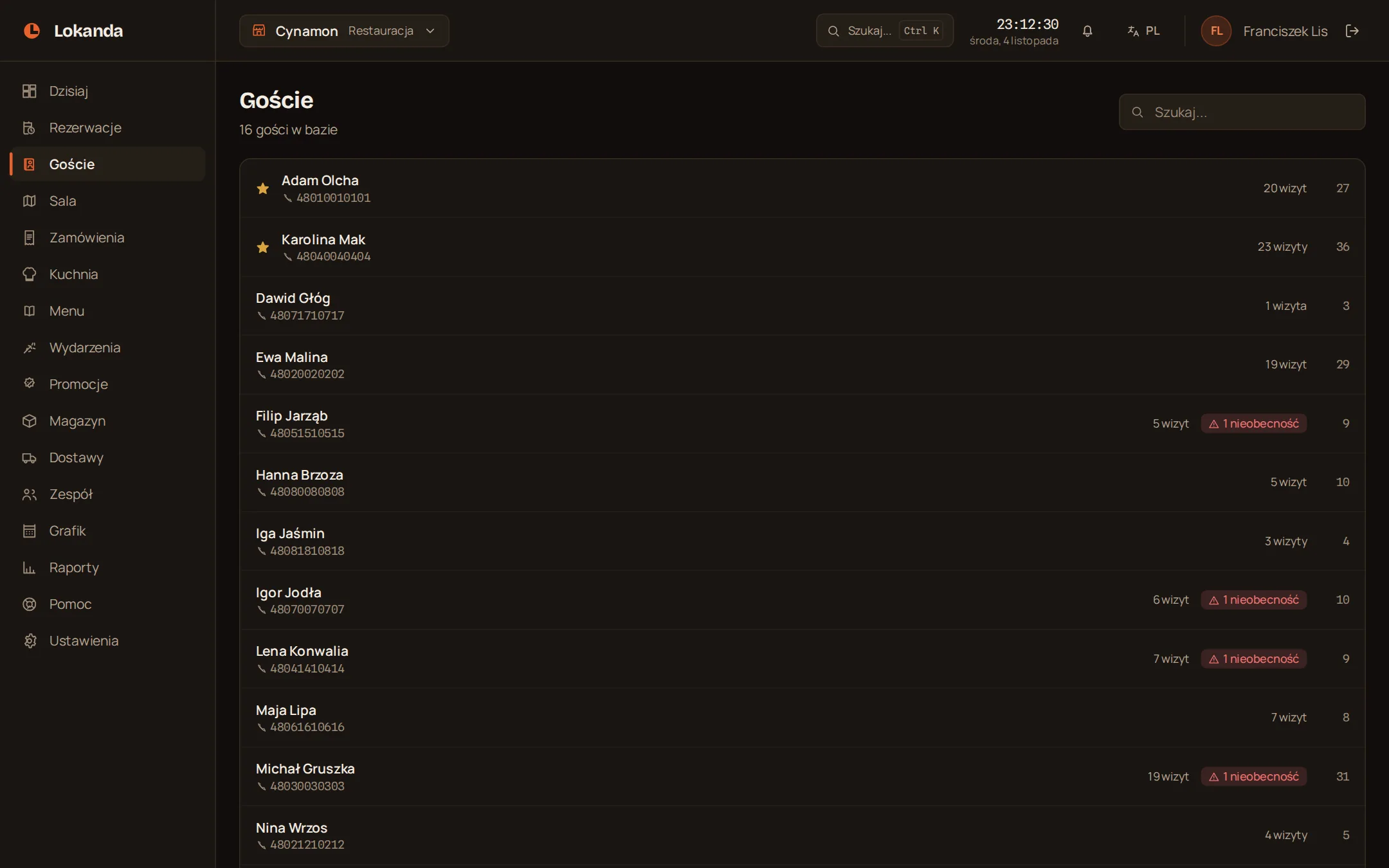
- Guest card
- visits and no-shows
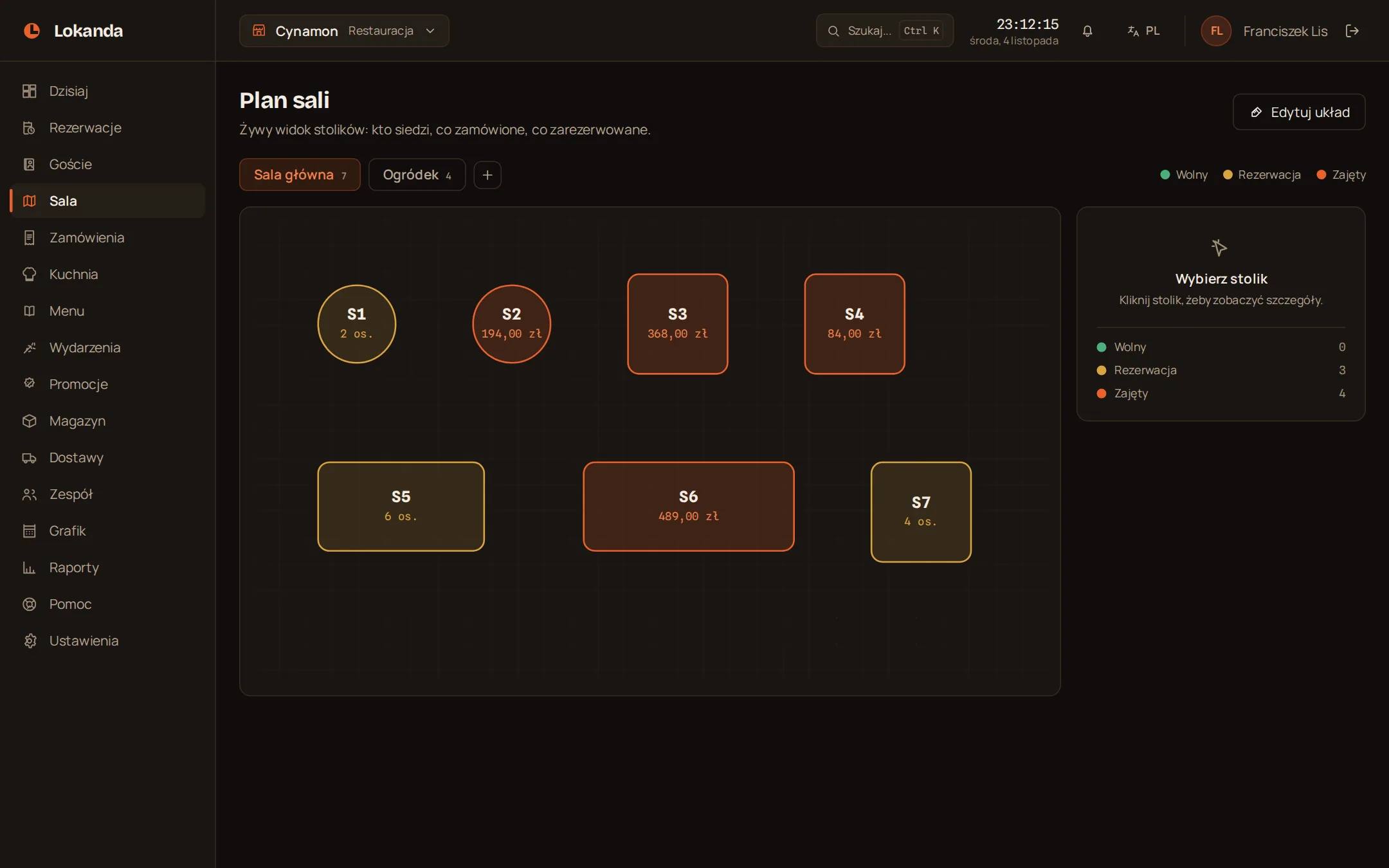
Before the evening you can see the whole room
You lay out the plan yourself: rooms, the garden, table shapes and seats. The colour of a table tells you what is happening at it.
- Free
- number of seats
- Reserved
- guest in the table details
- Occupied
- bill total
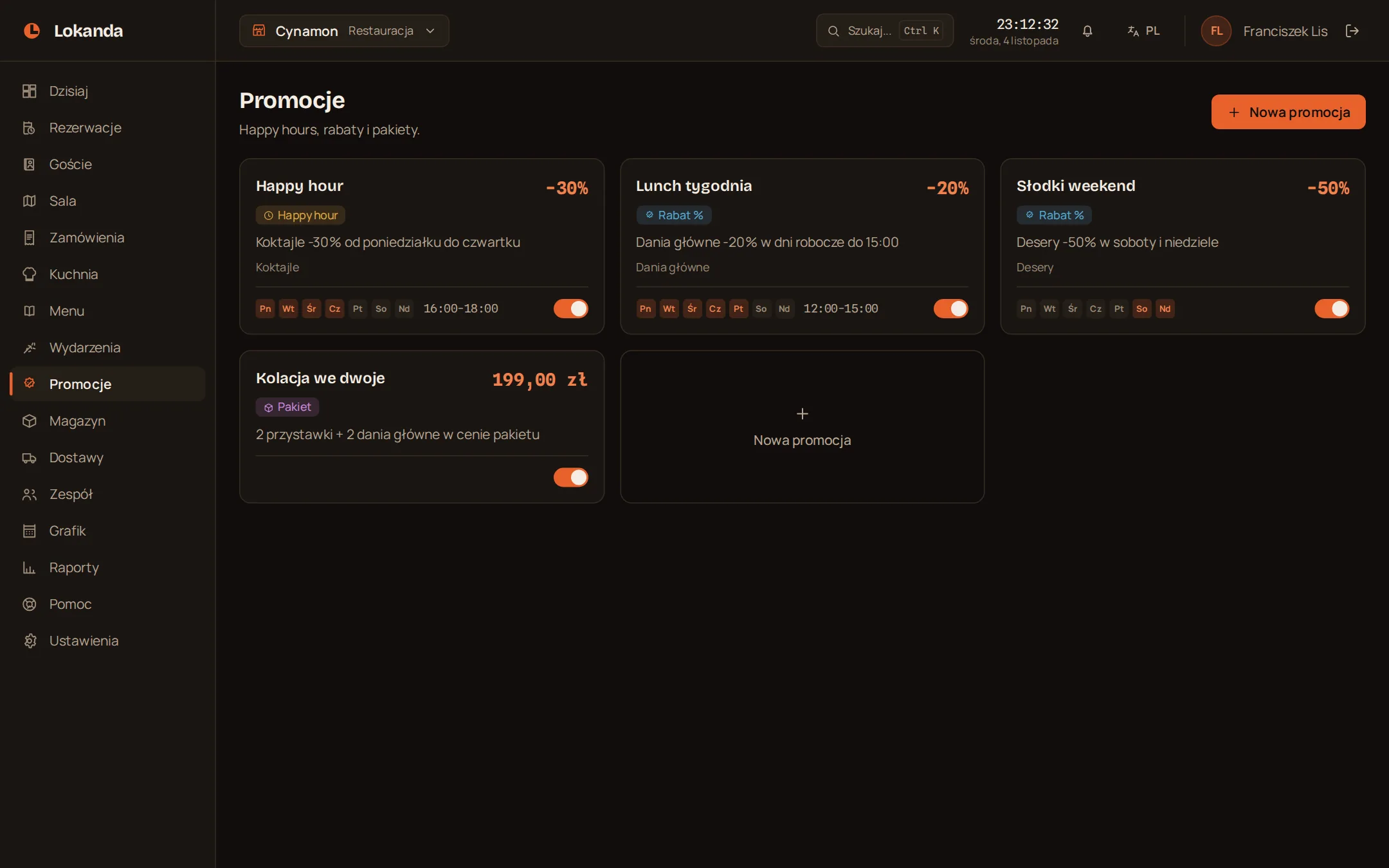
At 16:00 happy hour starts
A promotion runs on the days and hours you pick, on a category or on single items. Staff apply it when they close the bill.
- Types
- percent, amount, happy hour, bundle
- When it runs
- days of the week and hours
- What it covers
- a category or chosen items
- Turning it off
- one switch
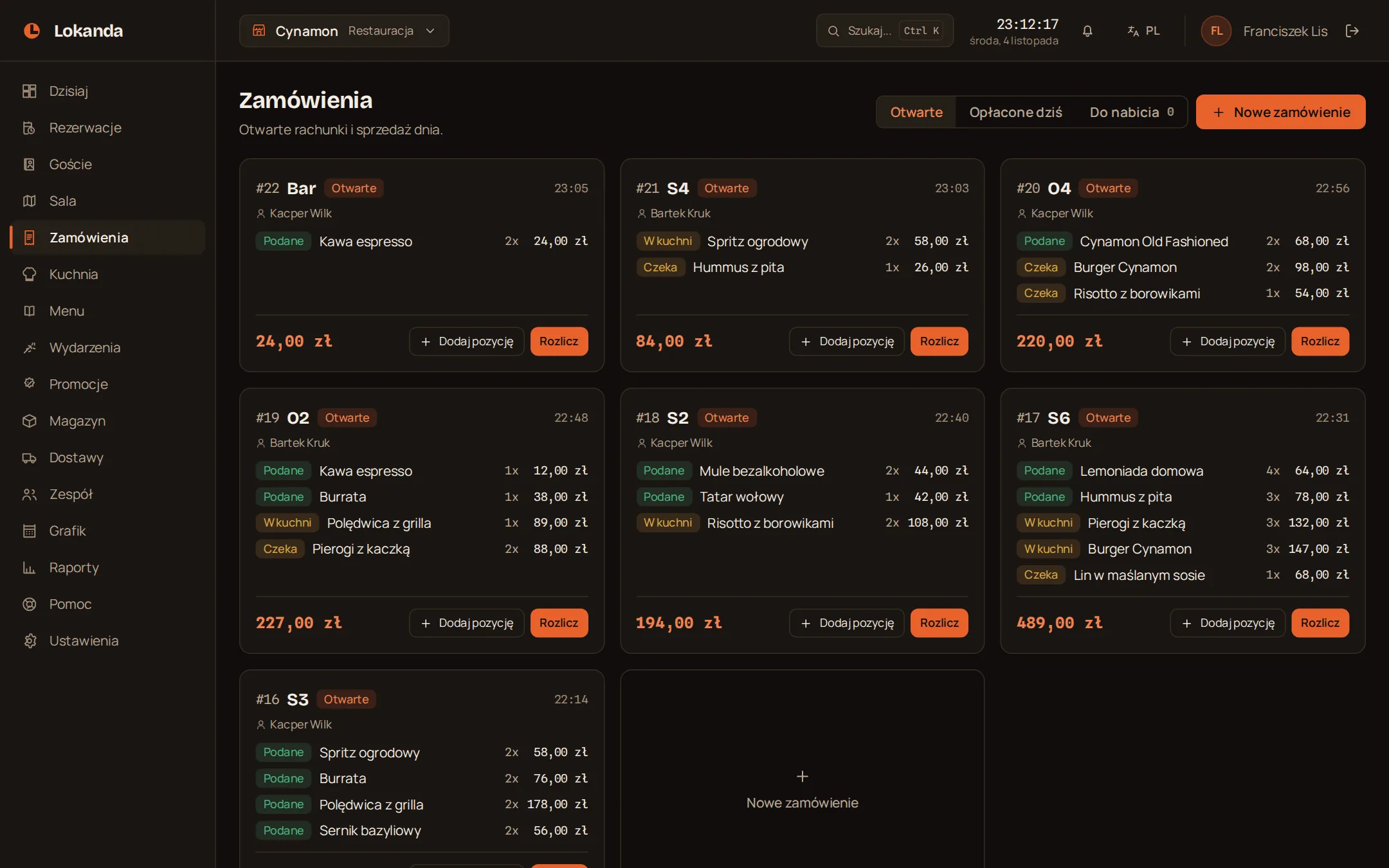
In the evening the bills stay open at the tables
A waiter opens a bill and adds items, and the kitchen sees them on its screen. At closing they record the payment method, tip and discount. The panel does not take the money itself.
- Item status
- waiting, in kitchen, served
- Payment method
- cash, card, BLIK, other
- Tip and discount
- saved on the bill
- Cancelling a bill
- with a reason, in the activity log
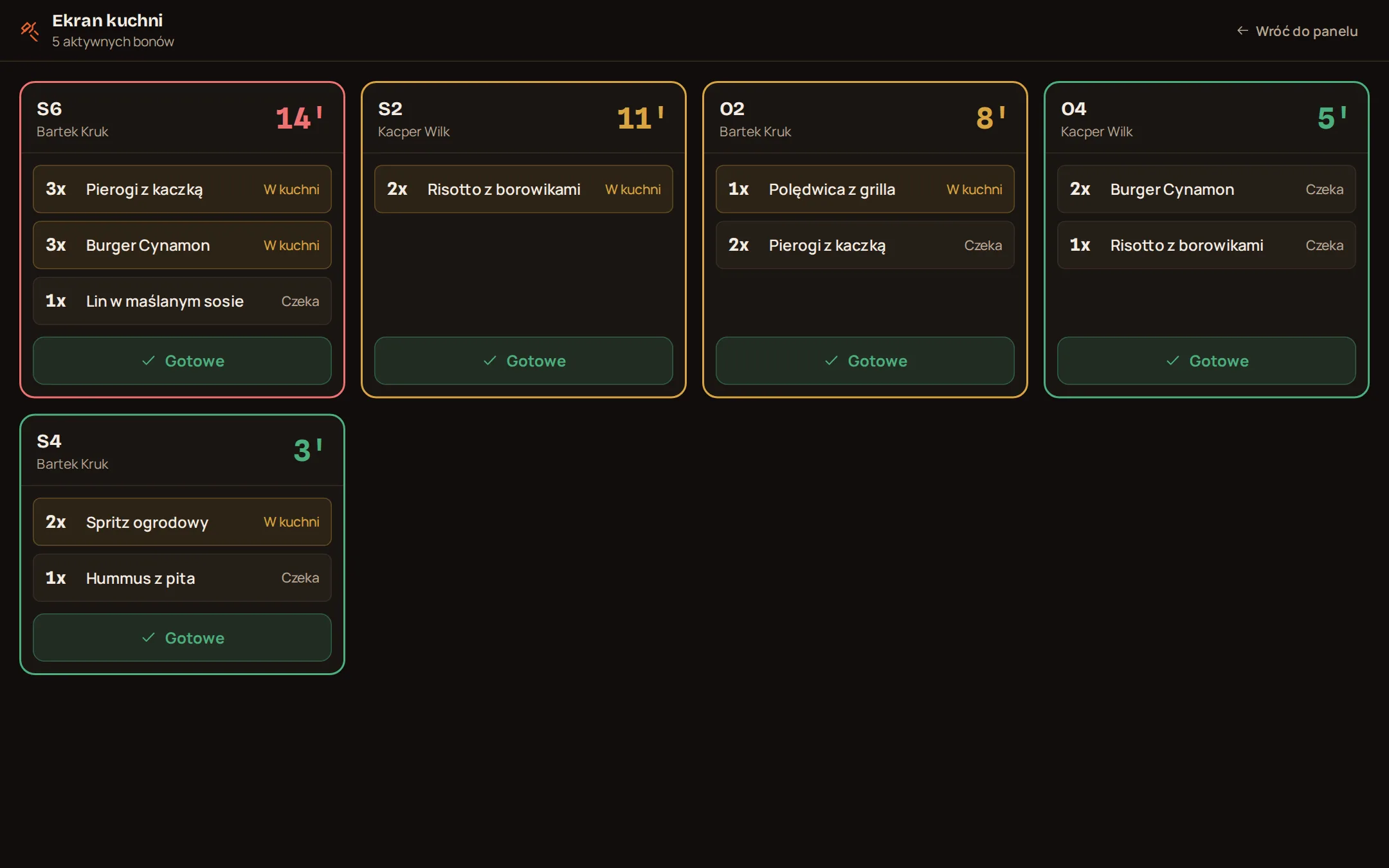
The kitchen sees which ticket has waited longest
Tickets line up oldest first and the minute counter changes colour. One tap on "Ready" and the waiter sees the items as served.
- Up to 6 minutes
- green
- From 6 minutes
- yellow
- From 12 minutes
- red
- Screen
- tablet or monitor with a browser
After closing you have the day report
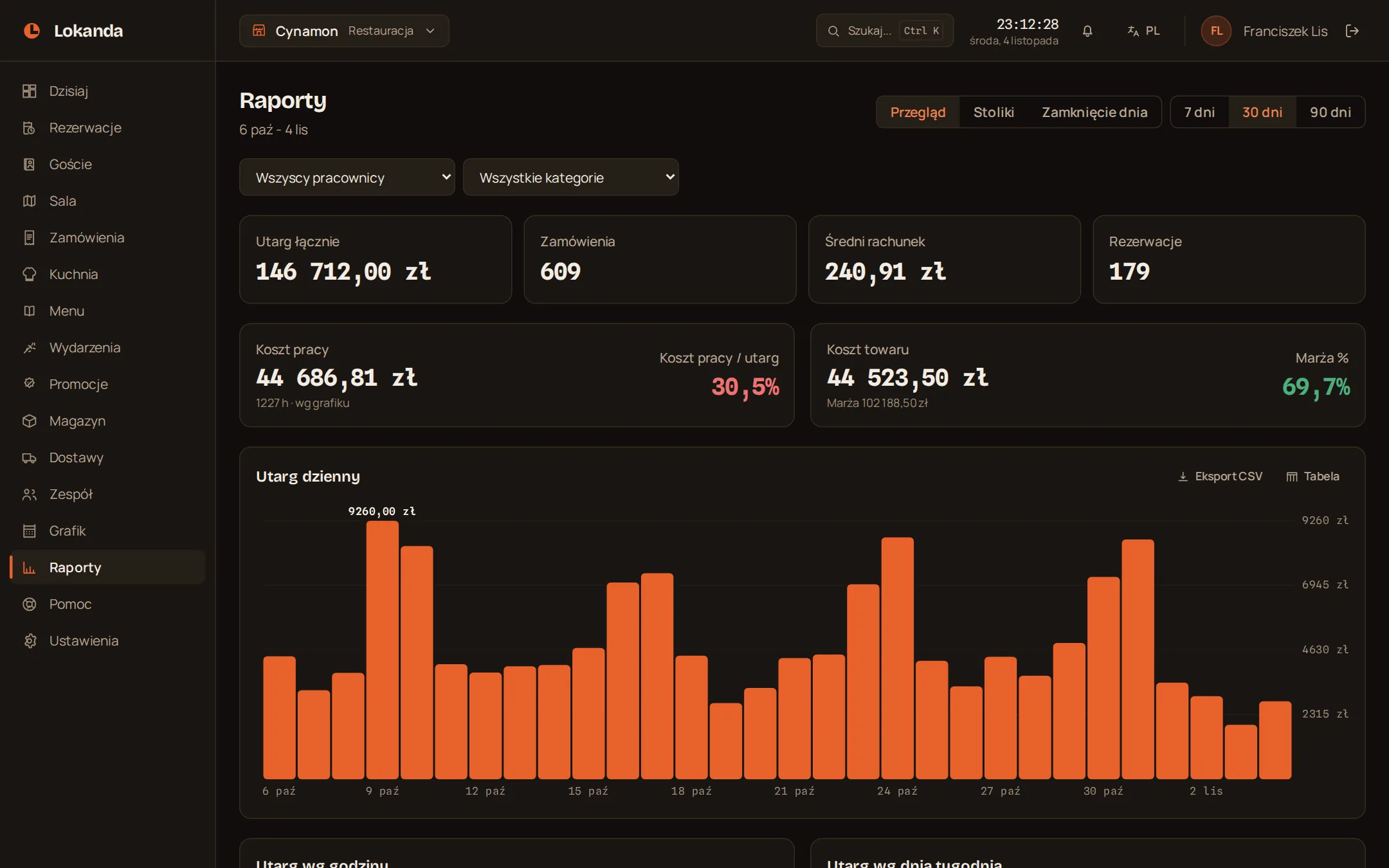
Revenue, bills, tips, discounts and cancellations, plus revenue by payment method and sales per waiter.
- Range
- 7, 30 or 90 days
- Tables
- revenue, occupancy, no-shows
- Margin
- once you enter item costs
- Export
- CSV
- Status of the report
- working document, not fiscal
What each plan includes, and you keep your till
- Commission on bookings, orders and turnover
- PLN 0
- Fiscal till
- stays the one you have
- Team accounts
- no limit
- Menu and inventory items
- no limit
- Report history
- Floor plan: 90 days, higher plans no limit
- Roles
- owner, manager, staff
- Public menu and online booking
- each can be switched off
- Panel language
- Polish or English
- Reservations and floor plan
- every plan
- Menu with allergens, QR code, website widget
- every plan
- Guest cards with booking history
- every plan
- Emails to guests and reservation reports
- every plan
- Unlimited orders and kitchen screen
- Service and above
- Promotions and full reports
- Service and above
- Inventory, suppliers, purchasing
- Whole venue only
- Schedule and time-off requests
- Whole venue only
The panel works beside your fiscal till, not instead of it
It does not fiscalise and does not connect to the till. You keep issuing receipts on the till as you do today. Staff enter amounts in the panel separately, so they can differ from the till, and for tax purposes the till data is what counts.
- Fiscal receipt
- till
- Sales records
- till
- Invoices and taxes
- venue
- Working bill
- panel
- Day close report
- panel, working document
Pricing
The plans differ in scope. Each higher plan has everything in the one below.
| Plan | Floor | Service | Whole venue |
|---|---|---|---|
| Monthly, net | PLN 149 | PLN 299 | PLN 449 |
| Paid yearly, net per month | PLN 125 | PLN 250 | PLN 375 |
| Reservations with a floor plan | included | included | included |
| Website widget | included | included | included |
| Guest database | included | included | included |
| Menu with a QR code | included | included | included |
| Email messages to guests | included | included | included |
| Reservation reports | included | included | included |
| Orders | no | included | included |
| Kitchen screen | no | included | included |
| Promotions | no | included | included |
| Events | no | included | included |
| Full reports | no | included | included |
| Inventory | no | no | included |
| Purchasing | no | no | included |
| Staff schedule | no | no | included |
Floor
- Monthly, net
- PLN 149
- Paid yearly, net per month
- PLN 125
- Reservations with a floor plan
- included
- Website widget
- included
- Guest database
- included
- Menu with a QR code
- included
- Email messages to guests
- included
- Reservation reports
- included
Service
- Monthly, net
- PLN 299
- Paid yearly, net per month
- PLN 250
- Everything in Floor
- included
- Orders
- included
- Kitchen screen
- included
- Promotions
- included
- Events
- included
- Full reports
- included
Whole venue
- Monthly, net
- PLN 449
- Paid yearly, net per month
- PLN 375
- Everything in Service
- included
- Inventory
- included
- Purchasing
- included
- Staff schedule
- included
- Trial
- 30 days, every feature, no card
- After the trial
- nothing is charged automatically, your data stays
- Emails to guests
- no limit
- Commission
- PLN 0
- Payment
- in advance, the first venues pay by bank transfer after requesting a plan in the panel
- Cancelling
- any time, effective at the end of the paid period
- VAT
- added where applicable
What venue owners ask us
- Do I have to replace my fiscal till?
- No. The panel works beside the till, does not connect to it and does not fiscalise. Receipts and sales records stay on the till, as they are today. More: Terms of Service
- What happens after the trial?
- Nothing is charged automatically, and your data stays.
- How do I move from another system?
- Load the menu, and on the Whole venue plan also stock levels, from a CSV file. Before saving you see what is new, what will change and where the errors are. You set up rooms and tables in the panel, and guests and reservations cannot be loaded from a file. More: Menu and QR code
- Who owns the guest data?
- You do. The venue is the controller of guest data and we process it on your instructions, under a data processing agreement. Messages to guests contain no advertising. More: Data Processing Agreement
- What messages do guests get?
- Emails, with no limit, only about their booking: confirmation, change, reminder, cancellation. A guest gets them after giving an address when booking.
- Does the panel take payments from guests?
- No. It only records the payment method your staff select.
- Does stock go down by itself after a sale?
- No. Stock changes when you receive a delivery or make a manual adjustment.
- Does the panel work offline?
- No. The panel needs an internet connection, so a venue needs another way to serve guests during an outage.
- What does it run on?
- Any device with an up-to-date browser and internet access: computer, tablet or phone. There is nothing to install.
- How many venues can I run from one account?
- One account can have access to many venues. A subscription covers one venue, so each has its own plan.
- How do I cancel?
- You can terminate at any time, by email or by a support ticket in the panel. The venue keeps working until the end of the paid period. After that you get 30 days of read-only access and can ask for a CSV copy of your data. More: Terms of Service