In the morning you see what is short and deliveries add themselves
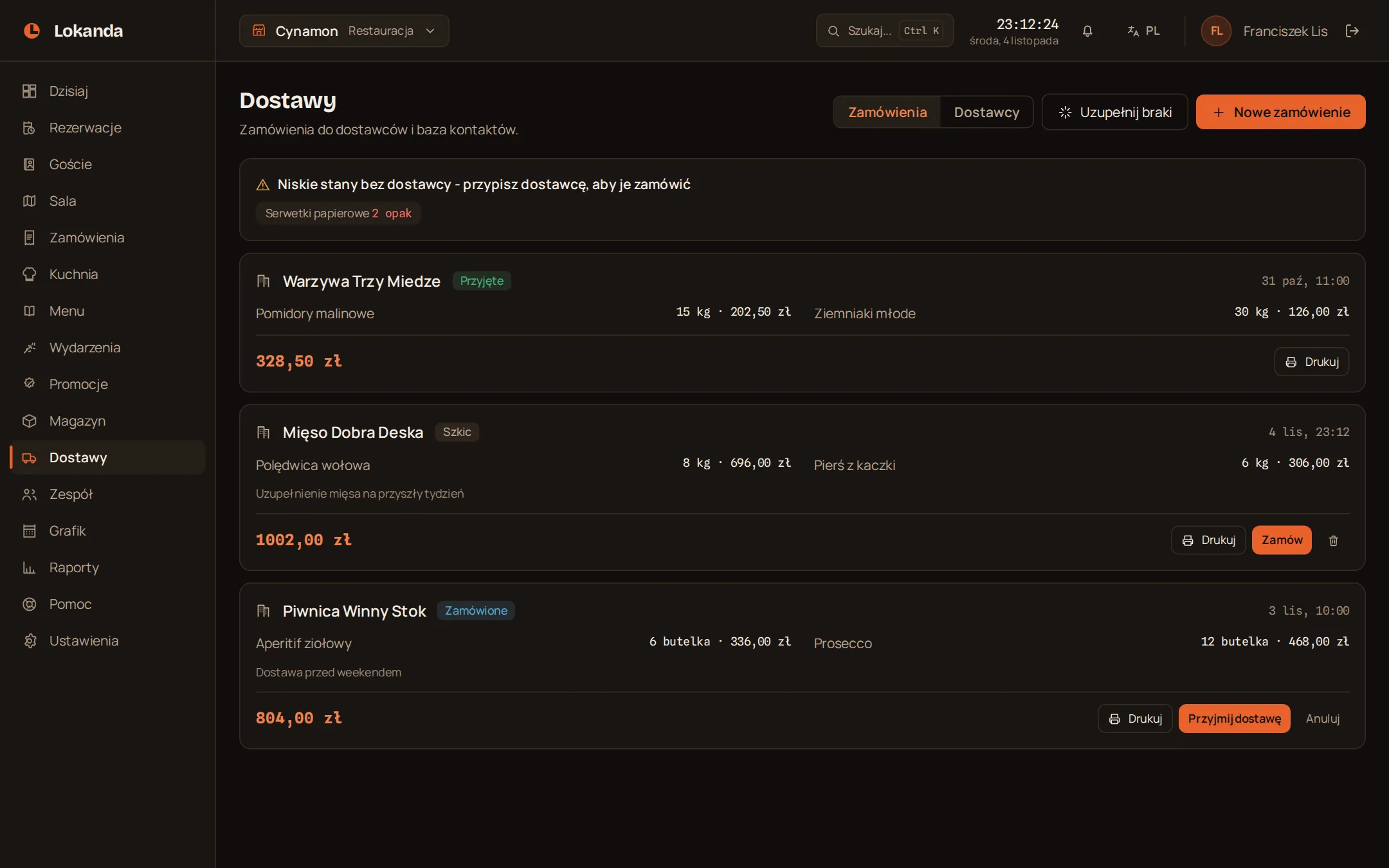
Each item has a stock level and an alert threshold. You turn shortages into draft orders for each supplier, and when a delivery is received the stock rises with no retyping.
On the Whole venue plan.
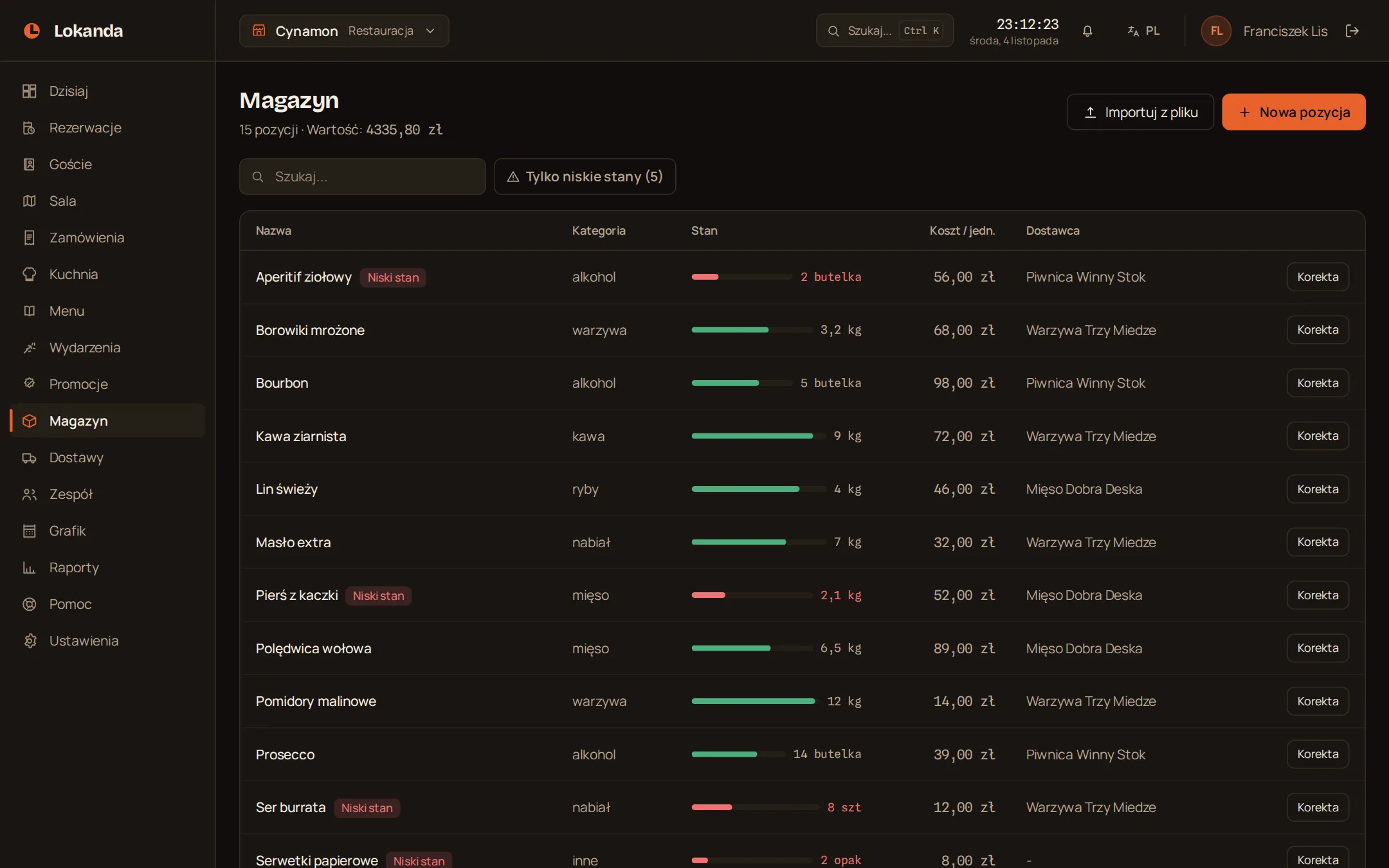
When stock falls to the threshold the item gets a red marker
You set the threshold for each item. A filter shows only the shortages, and the Today screen reminds you after logging in.
- Units
- kg, bottles, pieces, packs
- Stock value
- shown above the list
The Restock low items button lays out the drafts for you
Each item whose stock fell to its threshold goes to the draft of its supplier. The quantity is twice the threshold minus what you still have.
| Item | Stock | Threshold | Quantity in draft |
|---|---|---|---|
| Olive oil | 3 | 6 | 2 x 6 - 3 = 9 |
| Lemons | 4 | 5 | 2 x 5 - 4 = 6 |
An item with no supplier stays out of the drafts, and the panel reminds you about it.
An order goes through three states
- Draft
- Ordered
- Received
- Draft
- you change items and quantities
- Ordered
- printable, for the supplier
- Received
- stock rises by the ordered quantities
- Cancelled
- from a draft or an ordered state
A delivery raises stock, but a sale does not lower it
The inventory is not connected to bills. You record use and losses with an adjustment.
- Receiving a delivery
- adds to stock
- A sale on a bill
- does not change stock
- Adjustment
- changes stock both ways
A supplier database with contacts
- Contact
- person, email, phone, notes
- Next to a supplier
- the number of items and orders
- Removing
- once there are no orders
An adjustment stays in the venue history
A breakage, a stocktake or a mistake: you change stock by a given amount and can add a reason.
Anna
Olive oil: -2 bottles (breakage)
Tomek
Flour: +3 kg (stocktake)
Load stock from a spreadsheet as a CSV file
name;unit;stock;minimum;unit cost- File
- CSV from Excel, up to 1 MB and 2000 rows
- Before saving
- a preview: new, to change, with errors
- Existing item
- recognised by name
- Deleting
- the import deletes nothing
Who can change the inventory and see costs
| What | Owner and manager | Staff |
|---|---|---|
| Viewing stock and adjusting it | yes | yes |
| New items and orders | yes | with inventory access |
| Item costs | yes | with inventory, staff or reports access |
| Changes to the supplier database | yes | no |