The guest books a table alone and you see it on the day timeline
The form works on your website, at a link and behind a QR code. Each reservation lands on the day timeline and the floor plan, and the guest gets messages about their visit.
On every plan, from PLN 149 net a month.
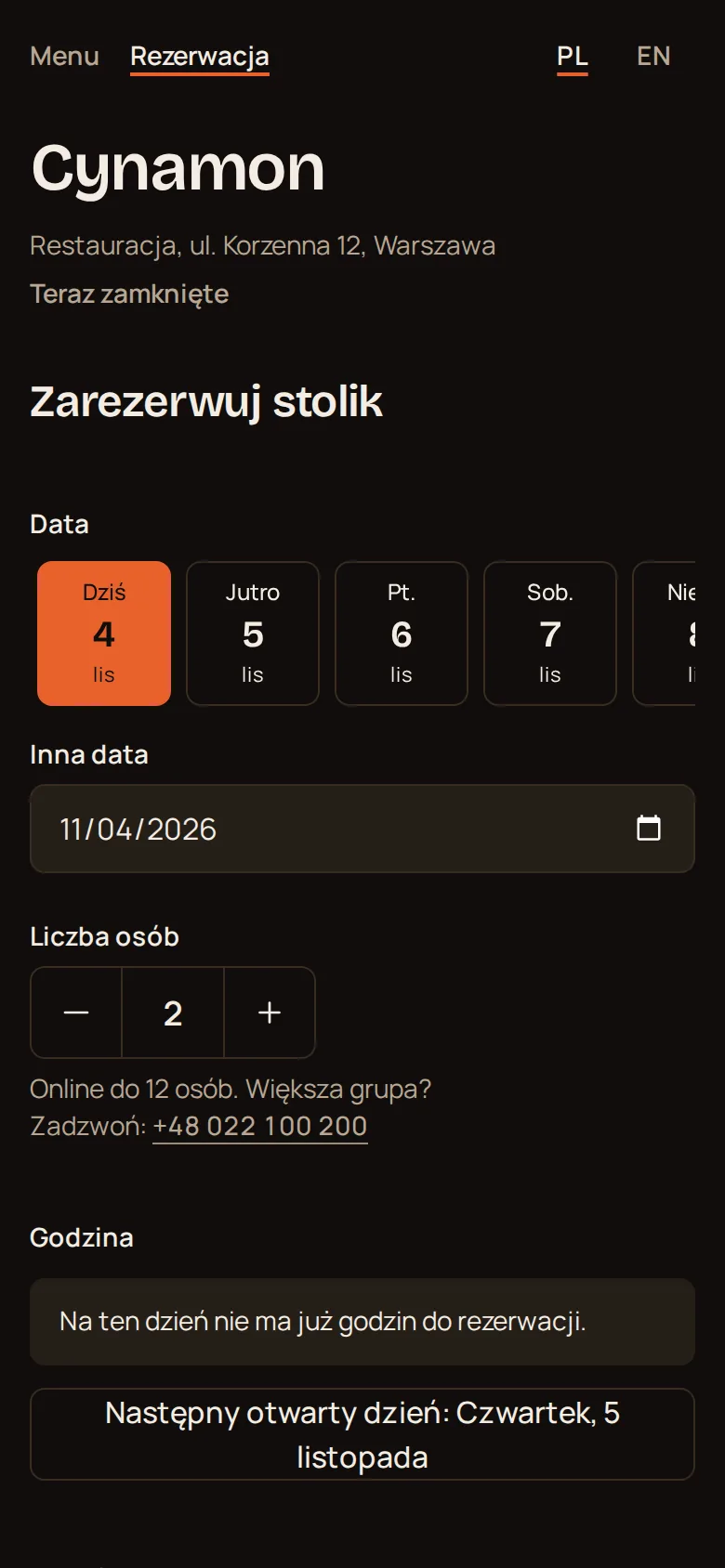
The guest sees the times when a table is free
The form counts free tables for the chosen party size. A time with no table is marked as taken.
- taken
- taken
- taken
- Times on offer
- only within opening hours
- Times every
- 15, 20, 30, 45 or 60 minutes
- Reservation length
- 15 to 720 minutes, you set it
- Largest party online
- you set it, larger parties see your phone number
- Time zone
- times in the venue time zone
- Someone was faster
- the guest picks another time and the form keeps their details
Widget, link or QR code: the form is the same
<script src="https://app.lokanda.pl/embed.js" data-venue="cynamon" data-view="reservations" async></script>- Widget
- one line in the HTML of your website
- Link
- an address with the venue name, to send or paste into a profile
- QR code
- PNG, SVG or a print-ready A5 or A6 poster
- Widget look
- height and a light or dark theme adjust on their own
- Form language
- the guest switches between Polish and English
- Guest account
- not needed
- Online reservations
- one switch turns them off
The table assigns itself: the smallest free one for this party
Two people will not take a table for six while one for two is free. The form checks tables from the smallest up and takes the first with enough seats that is free at that time.
- Changing the table
- by hand, in the panel
- Two reservations on one table
- the panel warns you, you can save anyway
- Reservation without a table
- its own row on the day timeline
4 people, 19:00
- S12 seatstoo small
- S22 seatstoo small
- O34 seatstaken at 19:00
- O44 seatsthis table
- D16 seatsstays free for a larger party
The same reservation on three screens
Day timeline
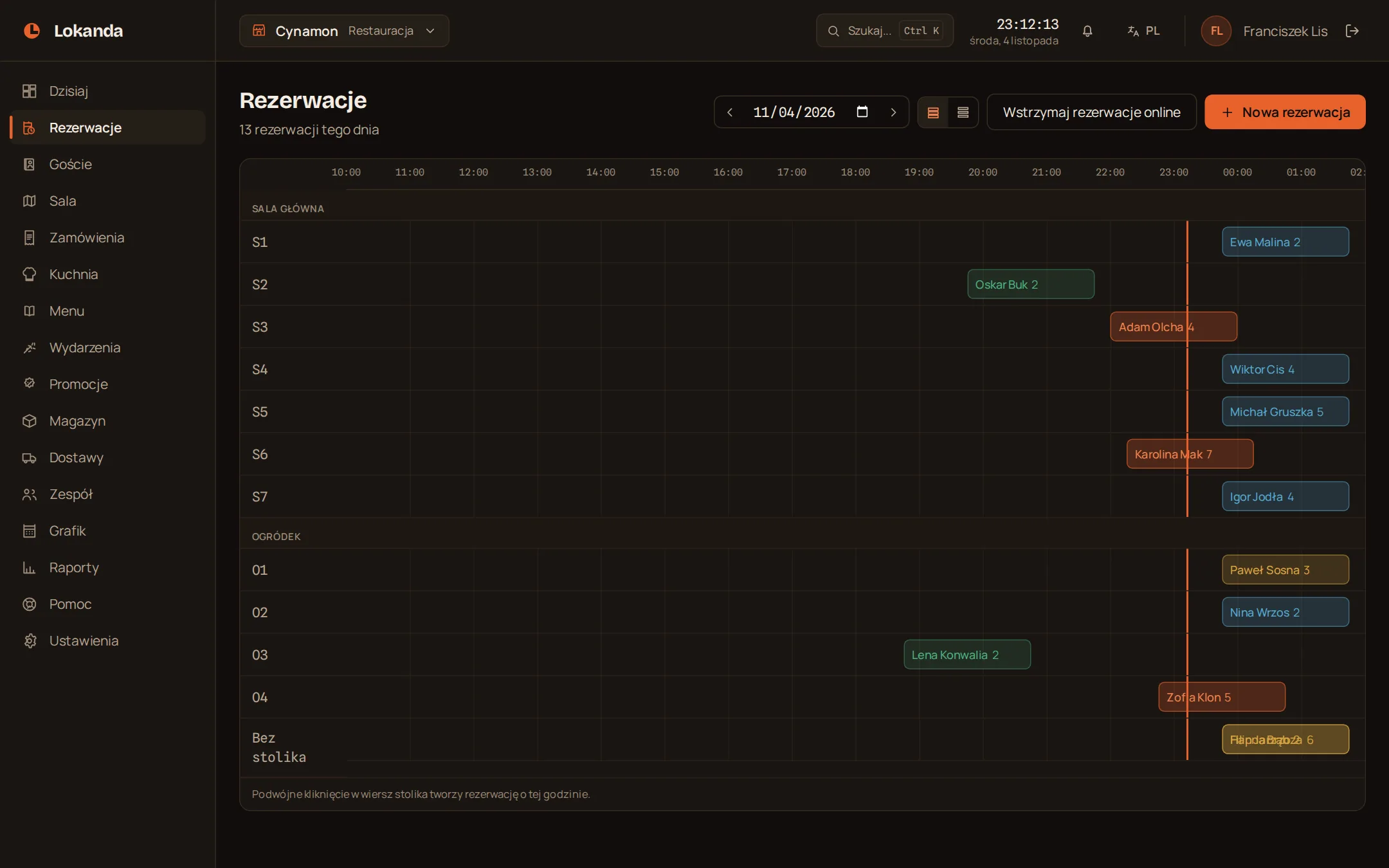
A row for each table, reservations along the hours. You see the gaps, the taken tables and what waits for confirmation.
- Views
- timeline or list
- Booking by phone
- double click on a table row
- Guest notes
- next to the reservation
Floor plan
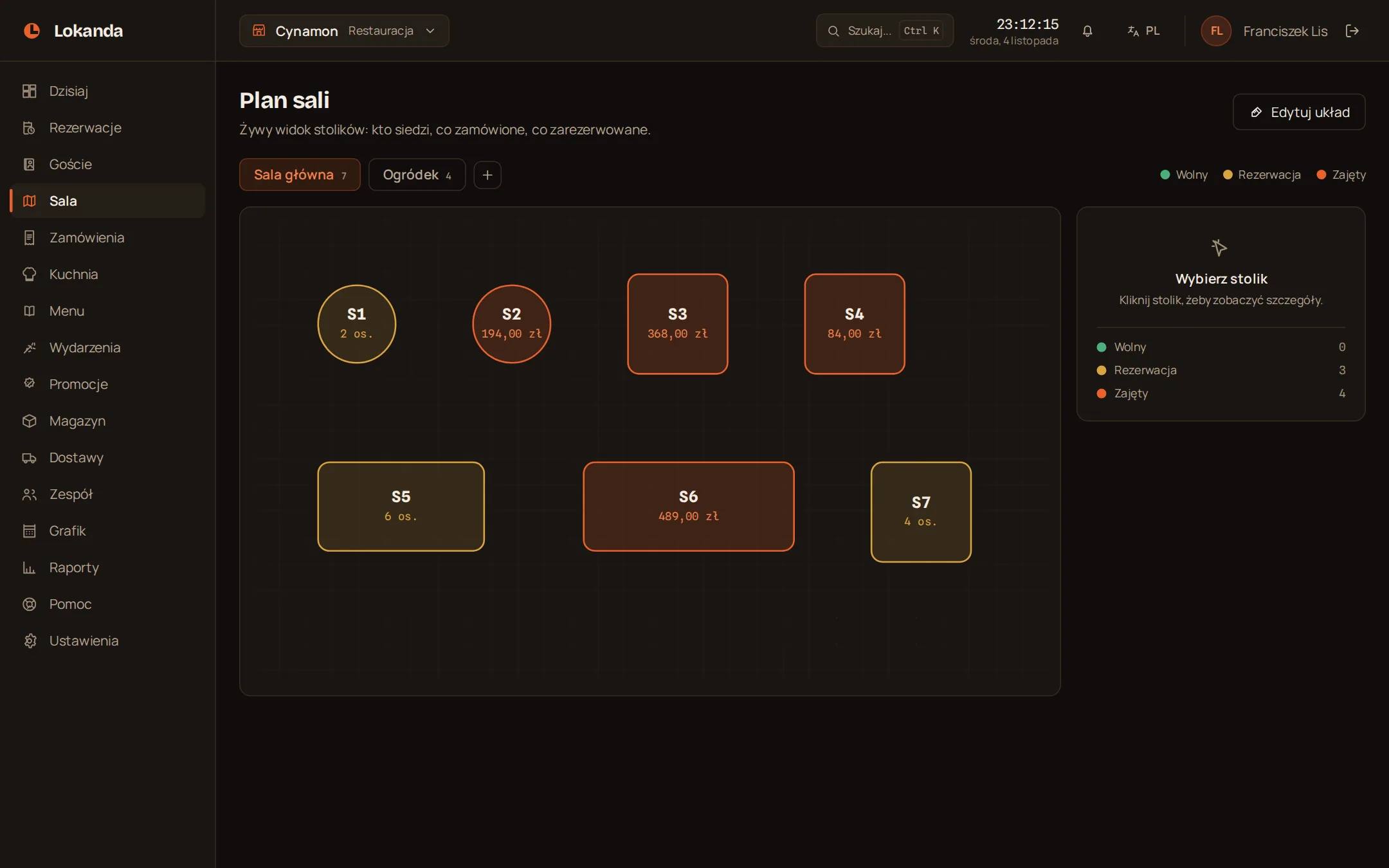
You lay out the plan yourself: rooms, the garden, table shapes and seats. The colour of a table says what is happening at it.
- Free
- number of seats
- Reserved
- guest in the table details
- Occupied
- bill amount
Guest card
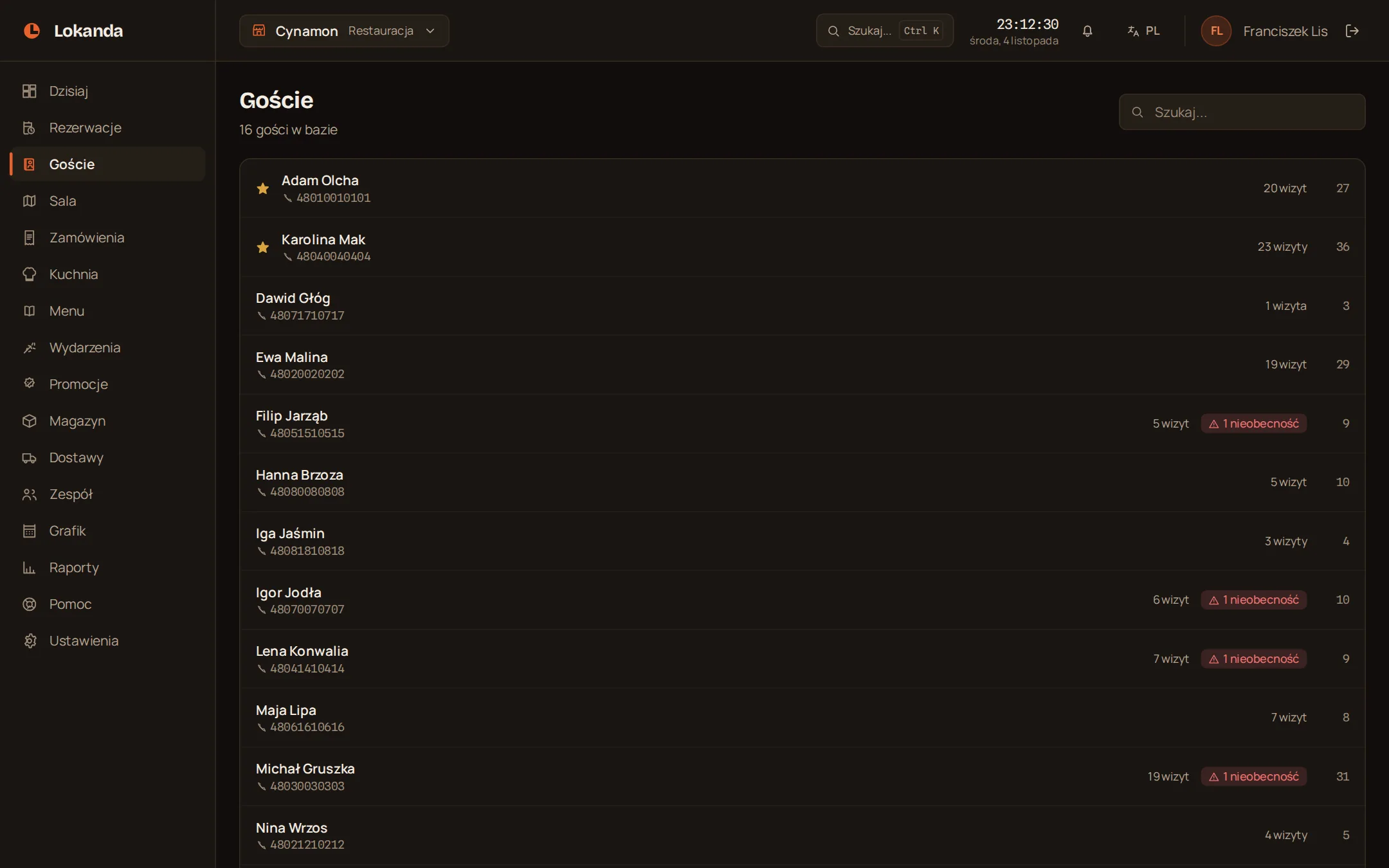
A reservation with a phone number creates a guest card. When the guest comes back, the staff see their history.
- History
- visits and no-shows
- Notes
- visible to the staff
- VIP status
- you mark it yourself
Six states, and each one tells you what comes next
| State | How it gets here | What the guest receives |
|---|---|---|
| Pending | guest form without automatic confirmation | a message that the reservation is waiting |
| Confirmed | the Confirm button or automatic confirmation | a confirmation, then a reminder before the visit |
| Seated | the Seat button | nothing |
| Completed | the Complete button | nothing |
| No-show | the No-show button | nothing |
| Cancelled | the staff, or the guest from their link | a cancellation message |
The guest gets messages only about their reservation
Email to the address given when booking, if the guest gave one. You set up sending and the reminder in the panel.
- Emails
- no limit
- Reminder
- 1 to 72 hours before the visit
- Under 2 hours to the visit
- no reminder
- Message language
- the one the guest booked in
- History on the reservation
- what was sent and whether it arrived
- Advertising
- none
Reservation received: Cynamon
The venue has your reservation and will confirm it. Time: 14 November, 19:00. Party size: 4. Venue phone: +48 022 100 200. View or cancel your reservation: [link]
Reservation confirmed: Cynamon
Your reservation is confirmed. Time: 14 November, 19:00. Party size: 4. Venue phone: +48 022 100 200. View or cancel your reservation: [link]
Reservation changed: Cynamon
Your reservation has changed. Current details below. Time: 14 November, 19:30. Party size: 4. Venue phone: +48 022 100 200. View or cancel your reservation: [link]
Reservation reminder: Cynamon
This is a reminder of your reservation. Time: 14 November, 19:30. Party size: 4. Venue phone: +48 022 100 200. View or cancel your reservation: [link]
Reservation cancelled: Cynamon
Your reservation has been cancelled. Time: 14 November, 19:30. Party size: 4. Venue phone: +48 022 100 200. View your reservation: [link]
The guest cancels alone and the time returns to the form
The guest gets a reservation link on the confirmation screen and in the message. No call and no account needed.
- Until when
- until the reservation time
- What the guest receives
- a cancellation message
- Planned reminder
- does not go out
- What stays in the panel
- an entry in the venue history
Guest data belongs to the venue
The venue is the controller of guest data and we process it on the venue instructions.
- All guests and reservations
- CSV export
- Data of one guest
- JSON export
- Erasing a guest
- the card goes, reservations stay in reports without personal data
- Notice for the guest
- in the reservation form