After closing you have a daily report with revenue, tips and voids
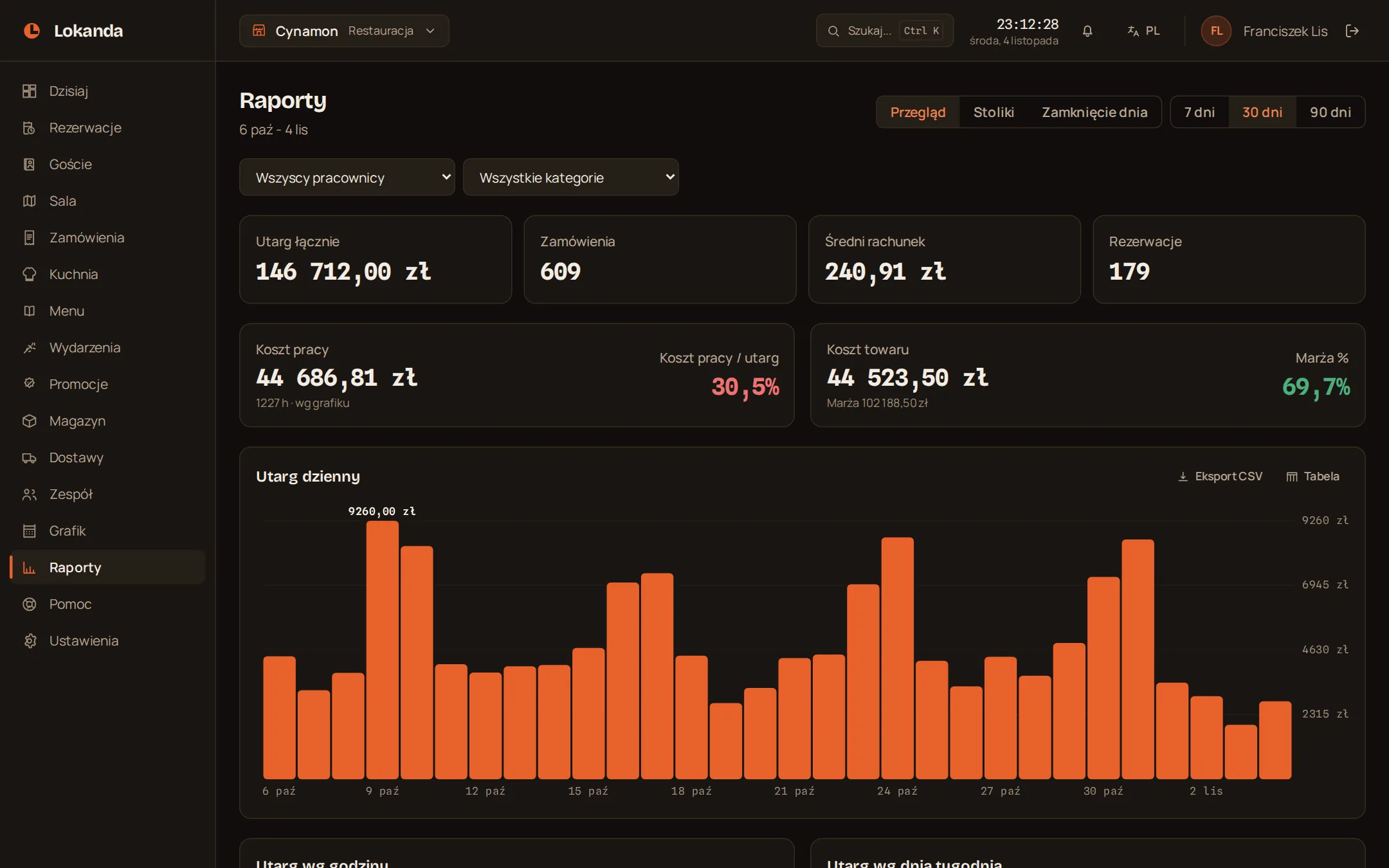
The data comes from bills, the schedule and reservations, so the report needs no retyping. You change the range from one day up to 90 days.
Reservation reports on every plan, full reports from the Service plan.
The day close on one sheet
You open the daily report under Day close and print it with one button.
- Revenue
- paid bills after discounts, without tips
- Bills
- the number paid
- Tips
- separate from revenue
- Discounts
- the sum given
- Voids
- number and value of cancelled bills
- Payment method
- revenue and bill count for each method
- Waiters
- sales of each person
When the venue earns: parts of the day, hours and weekdays
- Range
- 7, 30 or 90 days
- Filters
- employee and category
- Top items
- the ten sold most often
- Reservations
- count by state
Food cost and labour cost are two different numbers
Food cost
Sales - own cost = margin
- Where the cost comes from
- the Own cost field on a menu item
- Which cost
- the current one, also for older bills
- Where you see it
- on items, categories and overall
Labour cost
Scheduled hours x rate = labour cost
- Basis
- planned hours, not hours worked
- A shift past midnight
- in full, on the day it starts
- Next to it
- labour cost as a percentage of revenue
Which tables earn and which stand empty
A separate view counts each table from bills and reservations.
- Plan
- from the Service plan
- Revenue
- in total and per seat
- Fill rate
- share of opening hours in reservations
- Reservations per day
- average in the chosen range
- No-shows
- percentage of reservations
- Average party
- number of people
- Average time
- reservation minutes
Loss control shows voids by reason
Voiding an item in the kitchen or already served needs a reason, so the report can count them.
- Voided items
- number and value
- Cancelled bills
- number and value
- Reasons
- the five largest by value
You decide who sees the results
Staff do not see reports by default. Labour cost is a separate permission, because it comes from pay rates.
| Data | Owner and manager | Staff |
|---|---|---|
| Reports, revenue and margin | yes | with reports access |
| Labour cost | yes | with staff and reports access |
| Scheduled hours in the report | yes | with reports access |
| Pay rates | yes | with staff access |
The report is a working document, and for tax the fiscal till counts
The staff enter amounts in the panel separately, so they may differ from the till.
- Export
- CSV: daily revenue and items
- the day close
- Sales records
- on the fiscal till