A menu guests open with a QR code and you change in the panel
You fix prices, descriptions and allergens in one place. The guest at the table sees the current menu and the printed QR code stays the same.
On every plan, from PLN 149 net a month.
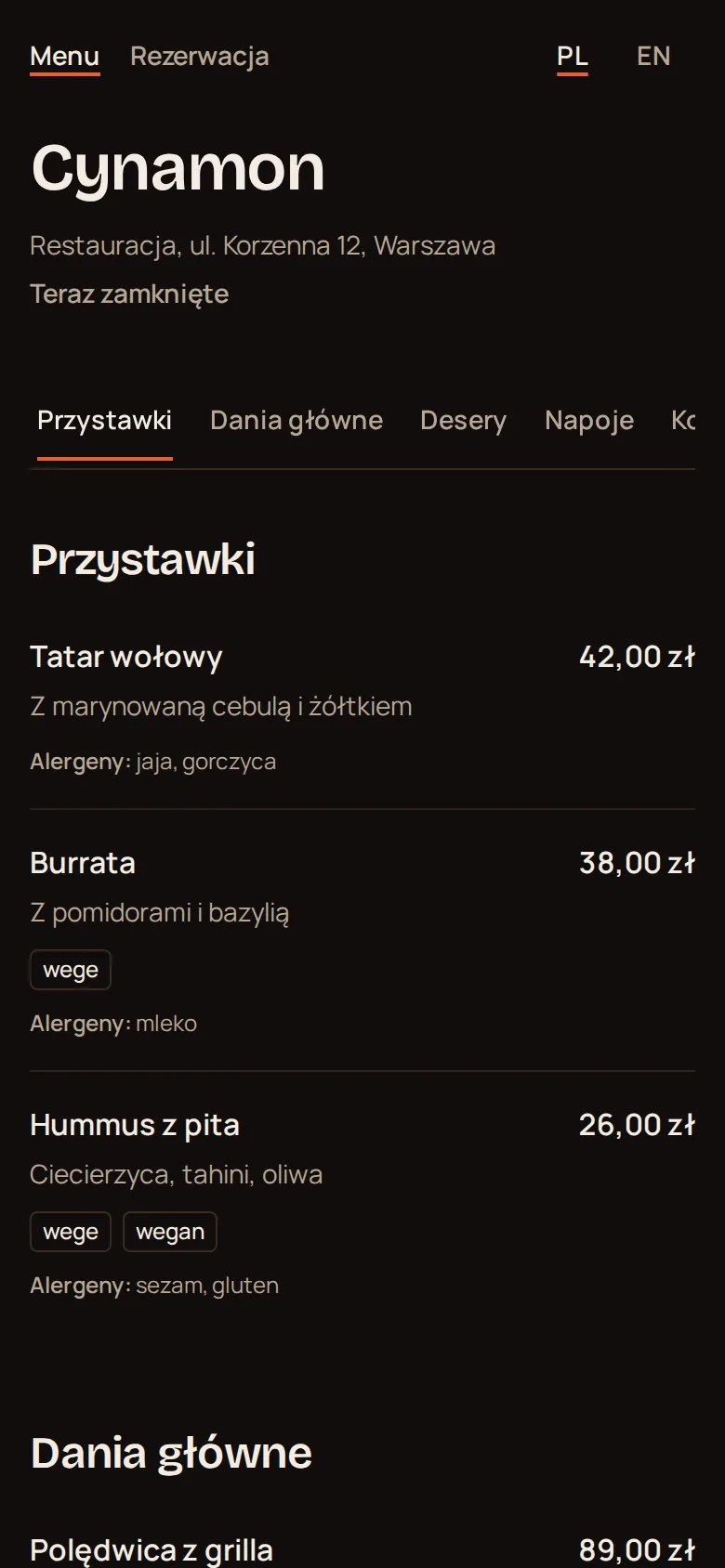
Categories, name, description, price on the right
The guest installs no app and creates no account. Allergens sit under the description.
An item ran out? One switch and the guest sees it
Tatar wołowy
PLN 42
Z marynowaną cebulą
The item is on the menu
The guest sees the name, description, allergens and price.
Tatar wołowy
PLN 42
Z marynowaną cebulą
Currently unavailable
The kitchen says it ran out
You switch it off in the panel. The item stays on the menu with the price struck through and the label Currently unavailable.
Tatar wołowy
PLN 42
Z marynowaną cebulą
The delivery arrived
You switch it back on. Nothing to retype and nothing to print.
Allergens sit next to each item, where guests look for them
You type them separated by commas and the guest sees them under the description. The venue is responsible for their content.
- Tatar wołowy
- jaja, gorczyca
- Burrata
- mleko
- Hummus z pita
- sezam, gluten
- Lin w maślanym sosie
- ryby, mleko
- Burger Cynamon
- gluten, mleko, jaja
- Pierogi z kaczką
- gluten, jaja
- Sernik bazyliowy
- mleko, jaja, gluten
- Creme brulee
- mleko, jaja
- Sorbet cytrynowy
- no allergens
The guest switches the page between Polish and English
The PL and EN switch changes buttons and labels on the guest page. Item names and descriptions stay in the language you typed them in.
| On the guest page | PL | EN |
|---|---|---|
| Allergen label | Alergeny | Allergens |
| Item switched off | Chwilowo niedostępne | Currently unavailable |
| Reservation button | Zarezerwuj stolik | Book a table |
| Item name | Tatar wołowy | Tatar wołowy |
| Item description | Z marynowaną cebulą | Z marynowaną cebulą |
You print the QR code once
Menu changes need no new code. Print it and put it on the table.
- File
- PNG or SVG
- Print-ready poster
- A5 or A6, in Polish or English, with the venue name and address
- Leads to
- the menu or reservations
- Changing the page address
- old codes stop working
- Guest account
- not needed
The cost next to an item gives you margin in reports
The cost is optional. Once you enter it, reports show margin on items and categories.
- Guest
- does not see the cost
- Staff
- visible to people with menu or reports access
- Tags
- for example vegetarian, vegan
- Categories
- you add and name them yourself
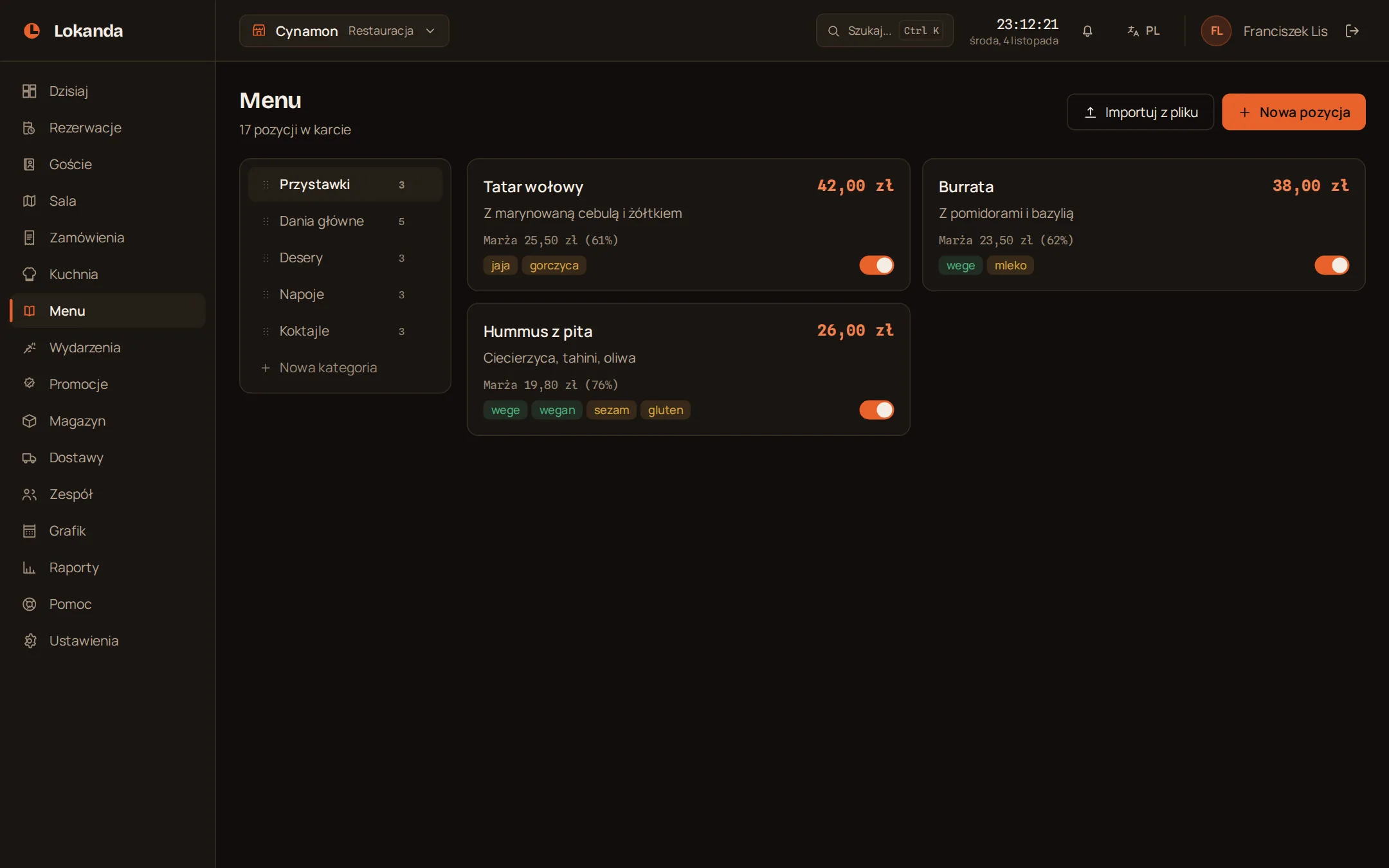
Load a menu from a spreadsheet as a CSV file
category;name;description;price;cost;allergens;tags- File
- CSV from Excel, up to 1 MB and 2000 rows
- Template
- Polish or English
- Before saving
- a preview: new, to change, with errors
- Existing item
- recognised by name within a category
- Empty field
- leaves the current value
- Deleting
- the import deletes nothing
- Current data
- download it as CSV
The online menu and widget work apart from reservations
- Online menu
- one switch turns it off
- When off
- the guest sees the menu is not available online
- Menu address
- its own link with the venue name
- Website widget
- one line of code, menu view